
Why I Built peeq
A personal project that became something more
The Problem
Our family of four has calendars scattered across Google, Apple, school systems, and more. It was easy to lose track of what was happening. The kids were always asking "What's today? Where are we going? How long until...?" and we were always answering "Let me check..."
As I started building something to fix this, I kept having ideas. What's the weather looking like? What's on the school lunch calendar? What else would be useful for everyone to see at a glance?
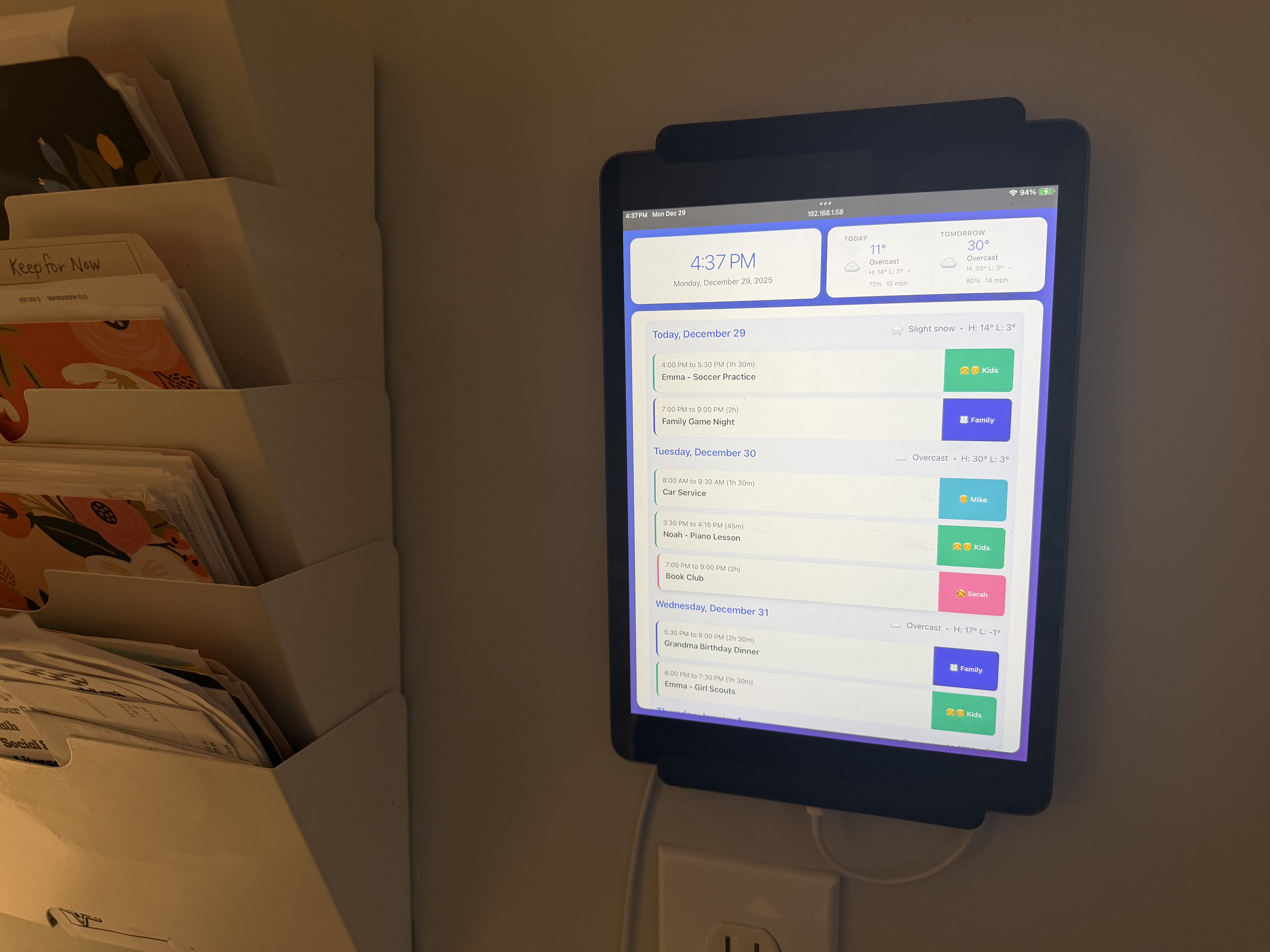
The Kitchen Wall Solution
It started with an old iPad from 2017 — one sitting in a closet doing nothing. I put it on a small tablet stand in the kitchen and started building something to pull all our calendars together. It wasn't long before we were hooked, and I mounted it on the wall. Before long, it had grown beyond my initial idea and turned into peeq.
Now it runs 24/7. No burn-in issues after more than a year — we use a couple of simple Shortcuts to dim the screen every night. The kids check it on their own. They count down to events they're excited about. They check the school lunch menu and know what days to look forward to. We don't call it "peeq" at home — we just say "check the calendar."
How We Actually Use It
After the kitchen screen proved itself, I picked up an old 2015 iPad Mini from a friend and mounted it on 3D-printed brackets by my home office door. This one shows my work calendars plus personal — a quick glance at what's coming up before heading out.
Where the Views Came From
This isn't my first calendar app — it's actually my third. I built an earlier version in 2022 and learned what mattered and what didn't. Ultimately, peeq is about knowing what the day looks like.
I also built conference room displays for work — e-ink screens by the doors showing daily schedules. That experience shaped the Today and Now & Next views: designed for non-interactive screens. No scrolling, no tapping. Just the schedule, what's happening right now, and how long until the next thing.
Our Current Setup
- Kitchen wall (iPad) — Week view. The family command center.
- Office door (iPad Mini 4, 2015) — Week view. Quick check before heading out.
- Desk (old iPhone) — Now & Next view. Personal meeting clock.
What We've Learned
After running peeq for over a year, here's what actually matters:
- Color coding makes scanning instant — Everyone gets their own color.
- Kids love having visibility — They feel informed without needing their own devices.
- Knowing the day helps everyone prepare — Calendars in the places we spend the most time. We see them, check them, and check in with each other.
- Screen dimming is key — Set it up once, forget about it. No burn-in, lower power.
- Old devices are perfect for this — 10-year-old iPads, jailbroken Kindles, that Android phone in your drawer. They can all get a new life while helping you manage yours.
Why I'm Sharing It
peeq solved a real problem for our family, and I realized it might help others too. Whether you're a busy family, a small office, or just someone trying to stay on top of schedules — peeq is here because we use it ourselves every day.